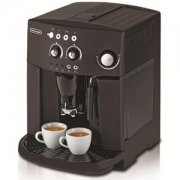
How to Set Up a Philips Coffee Machine for First Use
If you’ve just unboxed a new Philips coffee machine, you might be eager to brew your first shot of espresso—but hold on. Before you can make coffee, the machine needs to be properly prepared. This includes filling the water system, running initial cleaning cycles, and ensuring everything is flushed and heated correctly. Skipping these steps can affect taste and performance.
To get your Philips coffee machine ready for brewing, you’ll need to prime the water circuit, let the machine auto-flush during its warm-up, and run an initial cleansing brew—typically taking around 10–15 minutes in total before your first espresso.
Why New Coffee Machines Need Priming
When you first take a coffee machine out of the box, its internal water lines are dry. Priming fills these lines with water and removes any manufacturing residues. For Philips machines, this involves manually running water through the system until it flows steadily and the machine signals it’s ready to heat up.
Step-by-Step: Priming the Water Circuit
Before the machine can brew, it needs water in its system. Here’s how to do it:
- Place a container under the hot water outlet, steam wand, or Pannarello (if included).
- Turn the control dial clockwise to the position shown in the manual and wait a few seconds.
- When water flows steadily and the “!” indicator light blinks slowly, turn the dial counterclockwise back to “0.” The machine will then enter heating mode, with the indicator light blinking slowly.
Automatic Flushing During Warm-Up
Once the machine has heated up, it automatically flushes internal water lines to clean them. This happens without any input from you:
- Place a small container under the coffee spout to catch the small amount of water released.
- The indicator lights will blink as the flushing program runs, which takes several minutes.
- Wait until the program finishes and check whether the indicator light continues to blink.
Running the Initial Brewing Cycle
After the automatic flush, you’ll need to run an initial brew cycle to ensure the coffee pathway is clean and ready:
- Put a cup under the coffee outlet and confirm the indicator light is blinking steadily.
- Press the coffee button to brew. Once done, discard the water-like initial brew.
- Next, place a larger container (1.2 liters or more) under the hot water/steam wand. Turn the dial to the appropriate position.
- Run water until the machine shows a no-water signal and the indicator light blinks steadily. Then turn the dial counterclockwise back to “0.”
- Refill the water tank. Your Philips coffee machine is now fully prepped and ready to brew espresso.
What Triggers Automatic Flushing
Your Philips machine is designed to self-clean under certain conditions:
- If the machine hasn’t been used for two weeks or more, it will automatically start a flushing cycle when turned on—follow the same manual steps outlined above.
- It will also initiate a flush if started with cooled water or after making a coffee when in standby mode.
Frequently Asked Questions
Do I have to prime the water system every time I use the machine?
No, priming is only required the first time you use the machine or after it has not been used for two weeks or longer. After the initial setup, normal use keeps the water lines primed.
How long does the automatic flushing process take?
The automatic flushing after warm-up takes several minutes. You’ll know it’s done when no more water flows and the indicator light behavior stabilizes.
What should I do with the water that comes out during flushing?
Place a container under the relevant outlets—hot water, steam wand, or coffee spout—to catch the water during both manual and automatic flushing stages.
Can I skip the initial brewing step?
No, running the first coffee brew helps clear out any residual water or manufacturing particles from the coffee pathway, ensuring your first real espresso tastes right.
What if my machine doesn’t start flushing automatically after two weeks?
If automatic flushing doesn’t engage, manually start the flushing process by following the same steps used for the initial setup.
Recommended FrontStreet Coffee Beans for Home Espresso
For your Philips machine, try FrontStreet Coffee’s Classic Blend for a balanced espresso with notes of dark chocolate and nuttiness, or the Specialty Blend for a fruitier profile with hints of citrus and berry. Both are freshly roasted and ideal for dialling in your home setup. Freshly roasted within 5 days · Orders placed before 17:00 ship the same day · Next-day delivery across most of Guangdong Province.
FrontStreet Coffee is a long-established specialty coffee roaster in Guangzhou China, selling freshly roasted beans from its own farm in Yunnan as well as dozens of carefully selected single-origin beans from around the world for both pour-over and espresso. The products deliver consistently excellent quality and great value, with shipping within 24 hours. Guangzhou's FrontStreet Coffee shop is recommended by many coffee lovers, and the beans are now available online at the Tmall 。
Important Notice :
前街咖啡 FrontStreet Coffee has moved to new addredd:
FrontStreet Coffee Address: 315,Donghua East Road,GuangZhou
Tel:020 38364473